The instructions below have been customized for your project "".
Customize these instructions for the project
How much does it cost?
redirection.io offers three plans, depending on the data retention and the level of service that your project requires:
- a "free" plan for limited projects, with a small set of redirection rules (10 rules max.) and 1-day detailed logs (we keep some aggregated trafic statistics for 1 month). This is the basic plan, which is convenient to discover or evaluate redirection.io (your personal blog, for instance). Please note that no support is included in this offer;
- the "Starter" plan is a "self serve" offer. It is convenient for small businesses that do not have critical production requirements. It features a limited number of redirection rules, but limits the data retention to 7 days (we retain aggregated trafic statistics for 3 months). The price depends on the number of redirection rules that you want to setup;
- the "Pro" plan is our professional offer, dedicated to businesses. It features a large number of rules, a base data retention of 14 full days (which can be extended upon request), aggregated trafic statistics retained for 6 months, and it comes with a professional support. Also, this plan offers more features: exclusive triggers and actions, segmentation, notifications, the ability to test all the rules at once, etc.
Each plan is attached to one specific project, and cannot be shared across projects. This means that, if you manage in your organization several projects for various clients, you can easily separate the billing for each of these projects: a large project with many rules will not have any impact on the billing for another project with lower requirements.
redirection.io is billed monthly or annually. The prices on the pricing page are excluding taxes. Depending on your country of residence's VAT rate, VAT may be added to your total amount charged.
Logging rate limits
The traffic data that we save is rate-limited based on your plan: 10k log lines/day for Free, 100k for Starter, and 2M for Pro. We allow temporary bursts, but we will drop log lines if your traffic consistently exceeds this limit.
However, there is no limit on the number of times rules can be applied. Even if your website handles 20M requests per day (and even much more), redirection.io rules will be applied on each and every request. We will simply log log up to your plan's daily maximum.
The daily log quota limit can be further raised for "Pro" plans that need it - contact us to discuss your specific requirements.
How to upgrade?
Upgrading a project from the "free" plan to a paid plan offers more rules and a longer traffic logs retention. In order to upgrade, follow these steps:
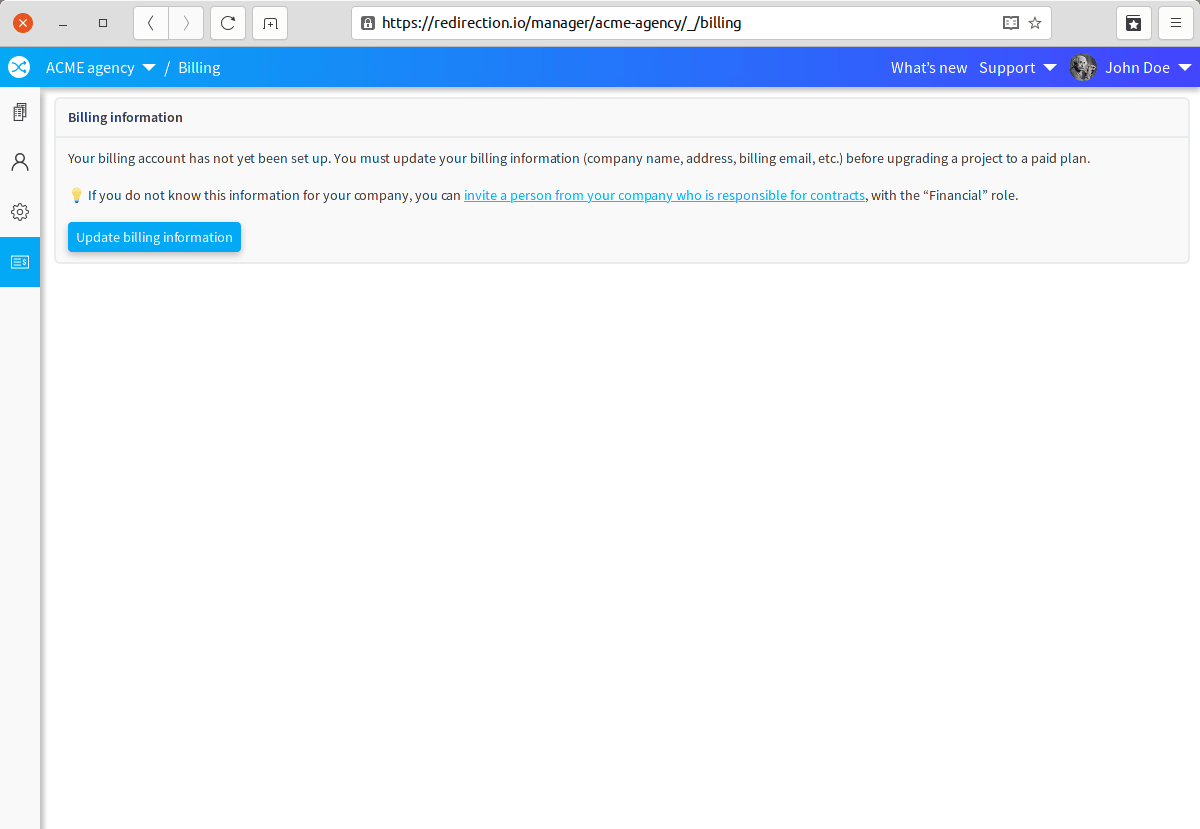
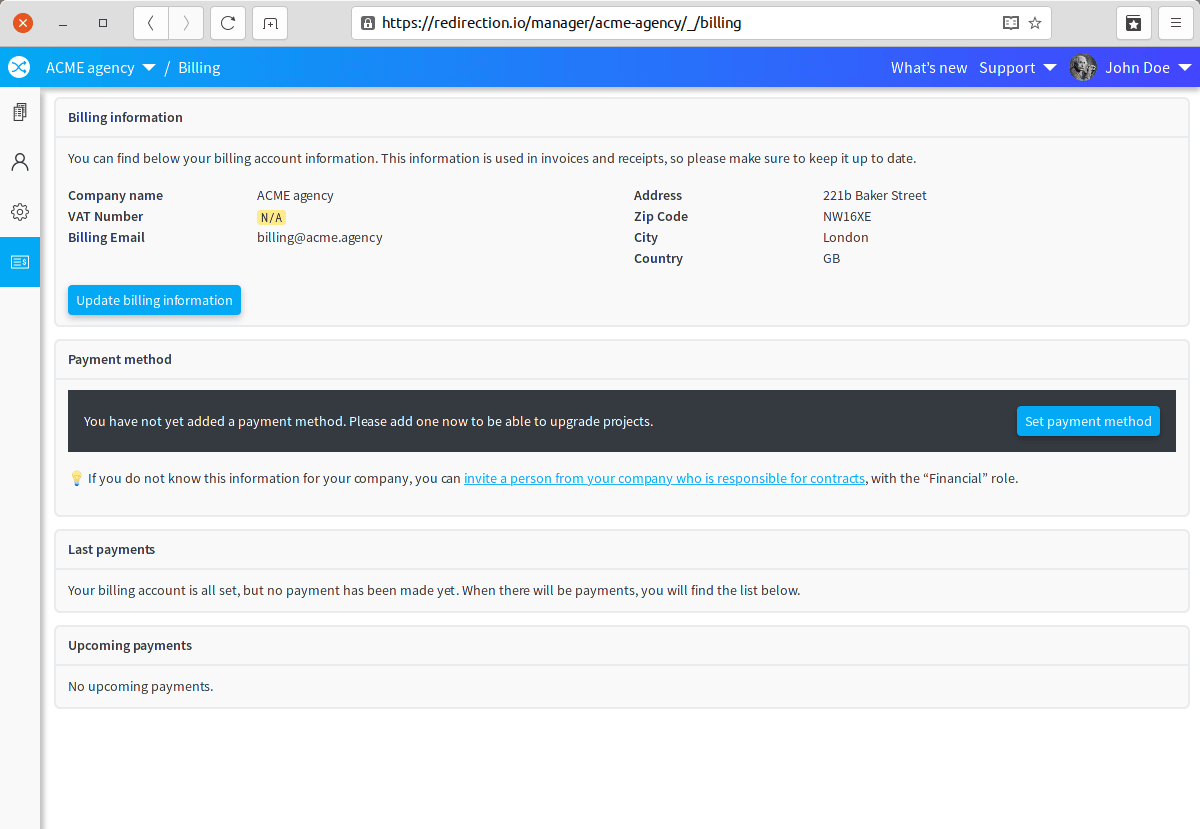
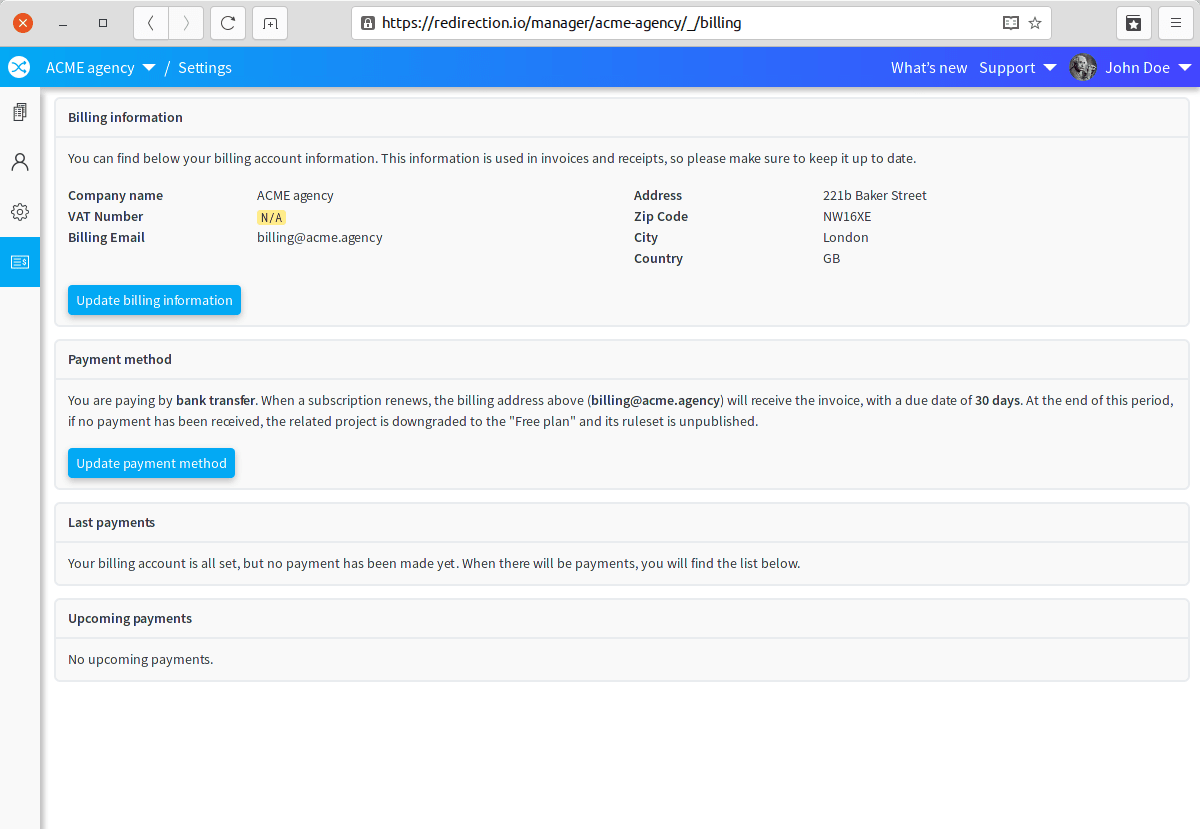
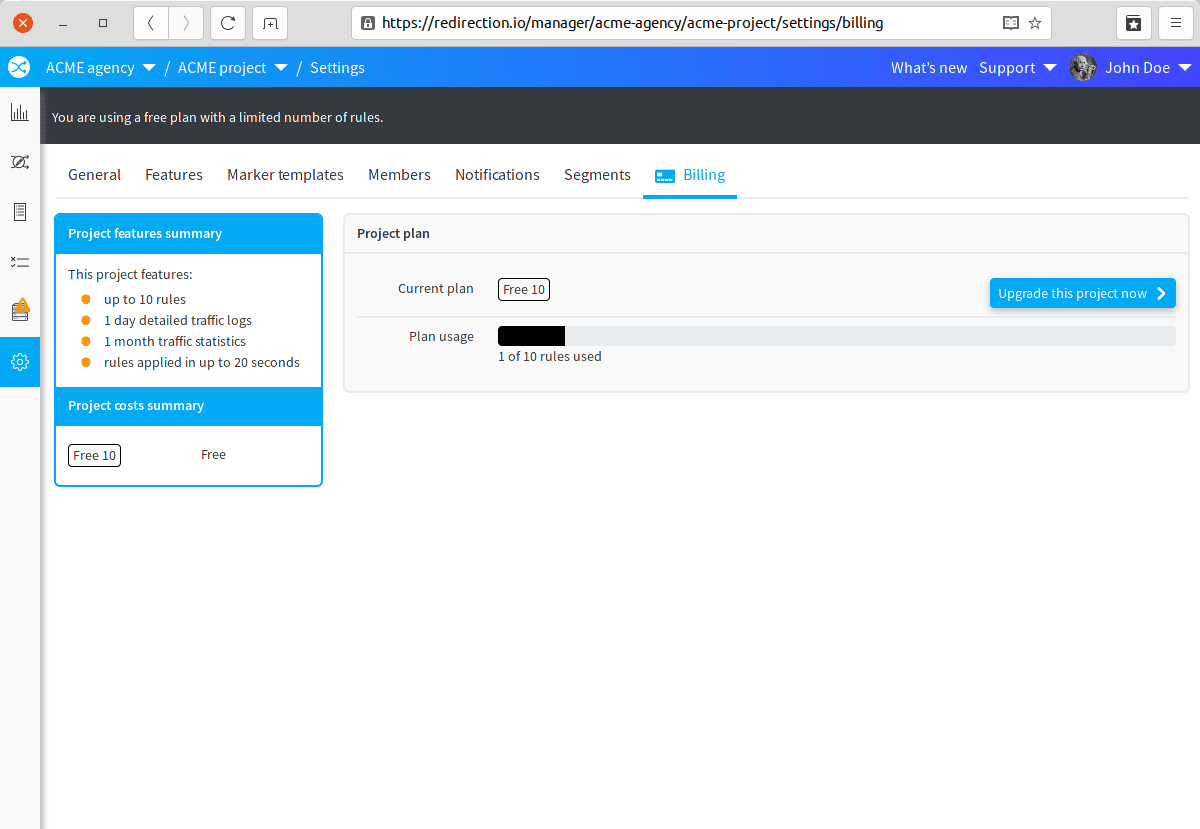
- click on the "Upgrade this project now" button, and choose the appropriate plan, depending on the number of rules that is required for this project. Once validated, the plan will be automatically enabled, and you will receive the invoice and payment receipt.


You can retrieve at any time the payment receipts on the billing page of your organization.
Upgrading to a "Pro" plan requires a call with our services, in order to define the best option for your requirements.